It understands your files.
Folder Tidy works out what each file is about, not just what it's called, and groups files by topic instead of name or type. Things that belong together end up together. All of it stays on your Mac.
Pick any messy folder, from Downloads to your Desktop, and Folder Tidy turns it into neat folders with clear names. All on your Mac, nothing in the cloud.
Free to download. For macOS 27 on Apple silicon, with Apple Intelligence turned on.
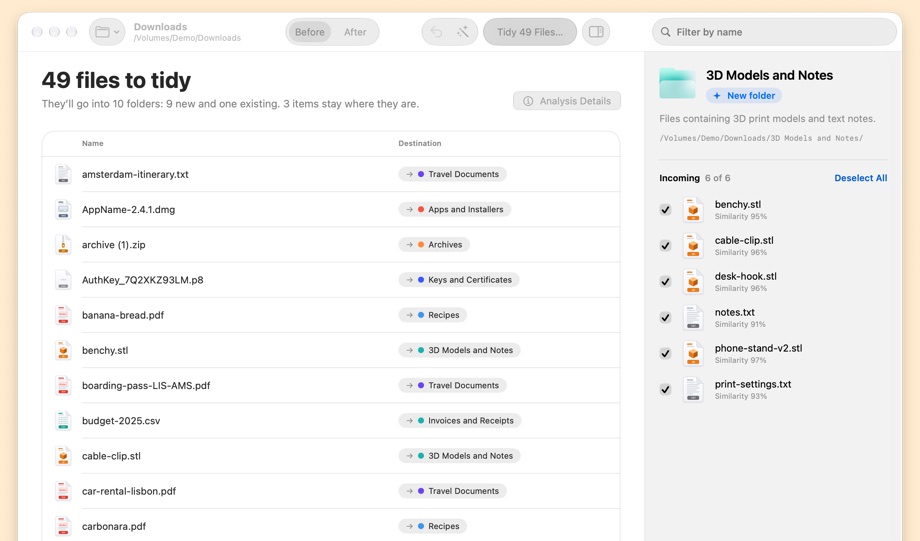
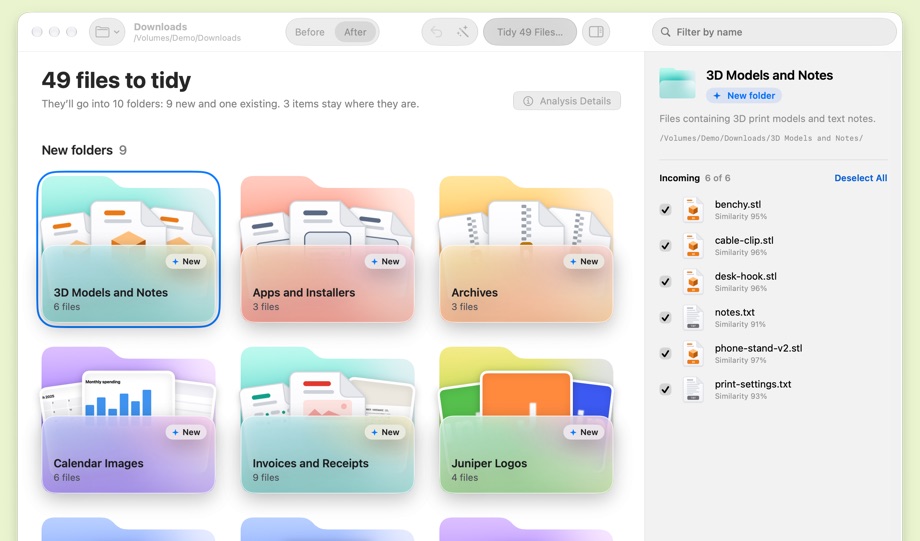
Every folder name is a suggestion. Rename any of them before anything moves.
Folder Tidy works out what each file is about, not just what it's called, and groups files by topic instead of name or type. Things that belong together end up together. All of it stays on your Mac.
You get a before-and-after plan. Uncheck any move, rename any folder. Nothing moves until you confirm.
Every tidy is logged before anything moves. Undo it and each file returns to where it was. Nothing is ever deleted.
Real screenshots of Folder Tidy on a demo Downloads folder, from the first read to the finished plan.
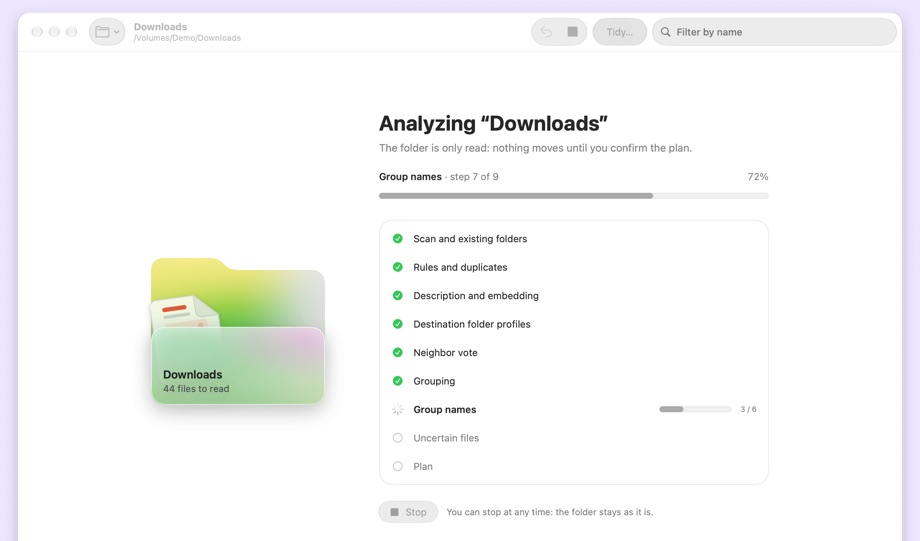
EmbeddingGemma 2 reads your files and works out what belongs together. Apple Foundation Models gives each folder a name. Both run right on your Mac: no account, no analytics, and not one file uploaded to the cloud.
The first time you open Folder Tidy, it downloads the EmbeddingGemma 2 model (about 1.2 GB) to your Mac. That only happens once.
Download Folder Tidy for free and try it on any folder: you see the whole plan before you pay. To let it move your files, buy a license for $9.99, once. No subscription, no account. In English and Italian.
macOS 27 or later · Apple silicon · Apple Intelligence turned on · 1.2 GB free for the model